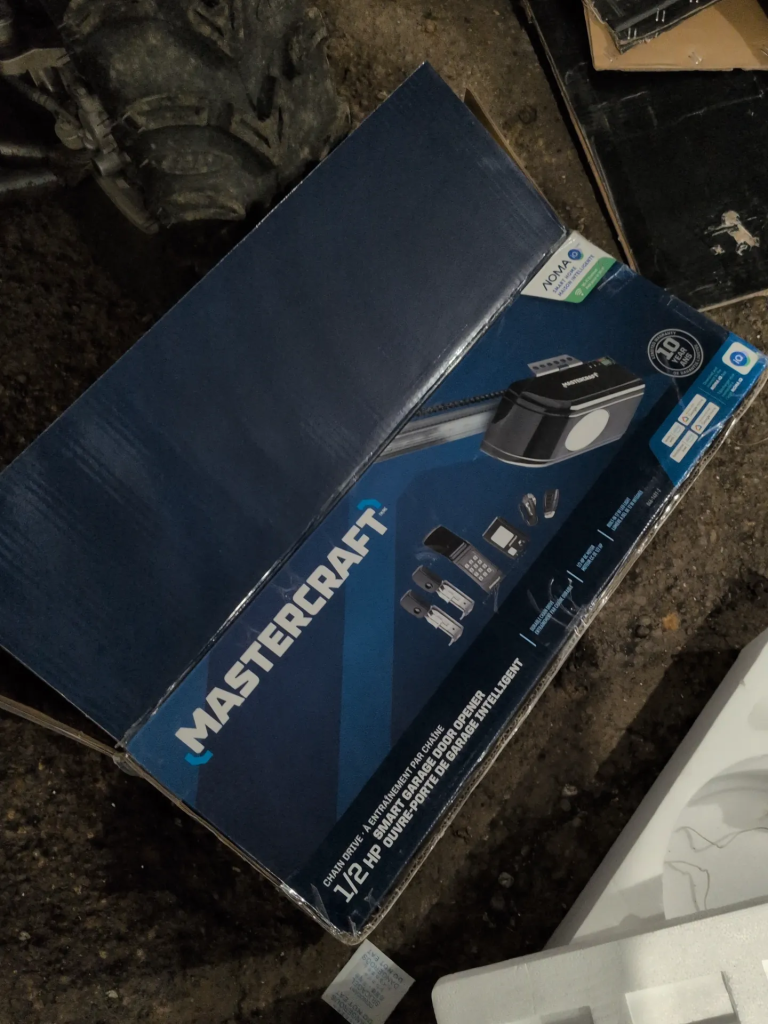
I have two Mastercraft garage door openers from Canadian Tire. Model 046-1401-2, the 1/2 HP chain drive smart opener. I grabbed them on sale for under $200 each. They work fine, they’re quiet, and for the price I had zero complaints.
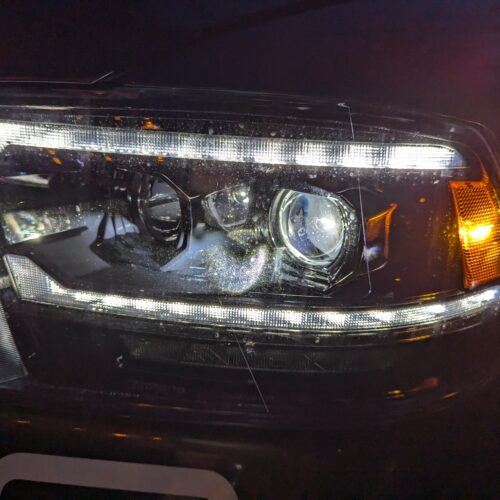
But when I went to program my Ram 1500’s HomeLink system to work with them, I stumbled into something I wasn’t expecting at all.
The HomeLink Problem
If you’ve ever tried programming HomeLink with any opener, you’ve probably followed the generic instructions. Hold the garage remote and the HomeLink button at the same time, wait for it to say “Trained,” done.
Except with Mastercraft remotes, that doesn’t work. I tried it probably a dozen times. Different distances, different angles, truck running, truck in ACC. Nothing. The display just kept showing “Channel X Training” and never switching over.
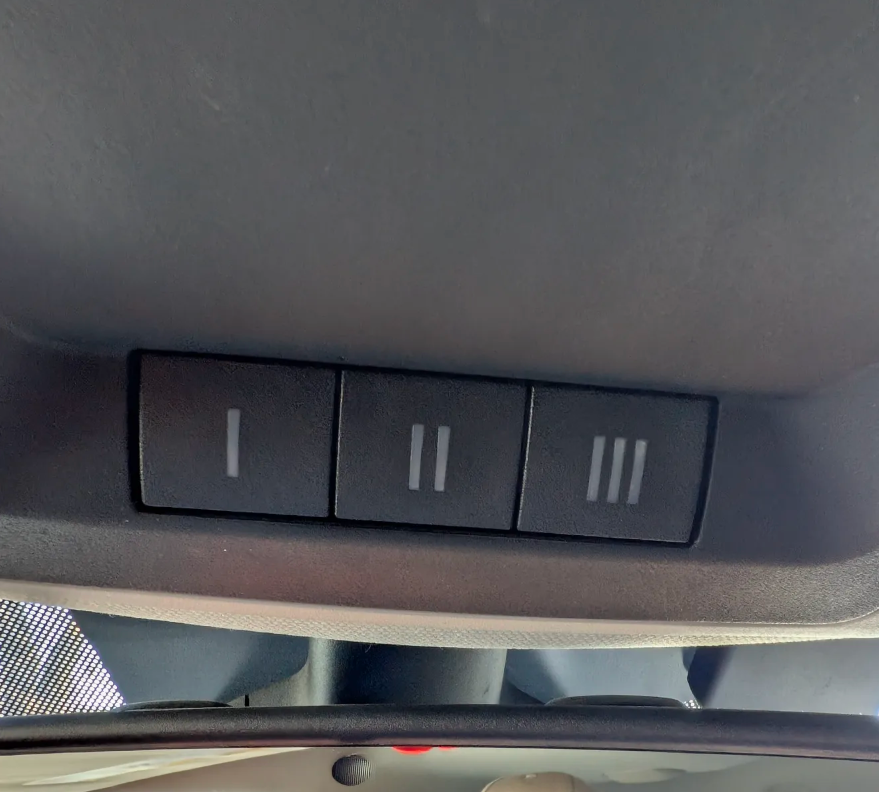
After a lot of trial and error, here’s what actually worked.
The Fix That Worked (Three Times)
I figured this out by accident, then replicated it across three different HomeLink buttons on two different vehicles.
Press and hold the Mastercraft remote button by itself. Don’t touch HomeLink yet. Just hold the remote button down until the LED on the remote starts blinking steadily. This takes a few seconds.
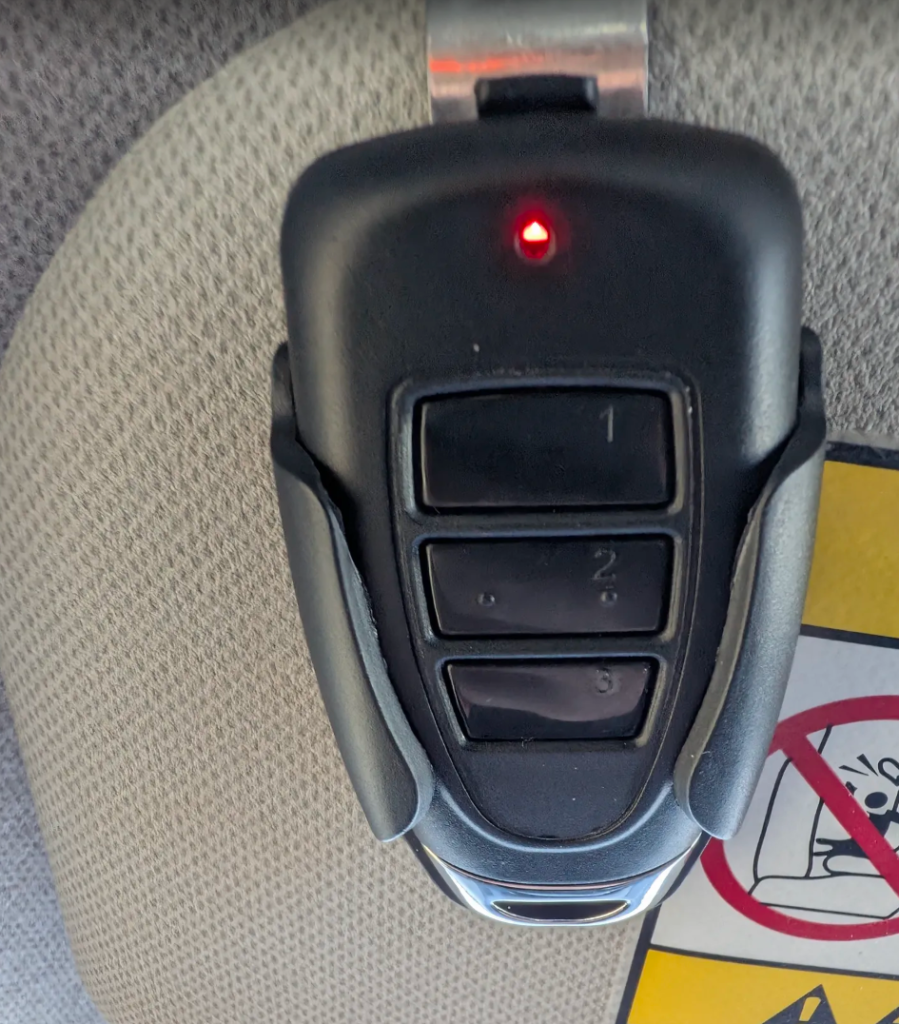
Let go of the remote button. The LED keeps blinking on its own for roughly 10 to 15 seconds.
While the LED is still blinking, press and hold a HomeLink button. Within a few seconds, the display shows “Channel X Training” and then switches to “Channel X Trained.” Some vehicles show this on the dash, others on an overhead display. The process is the same either way.
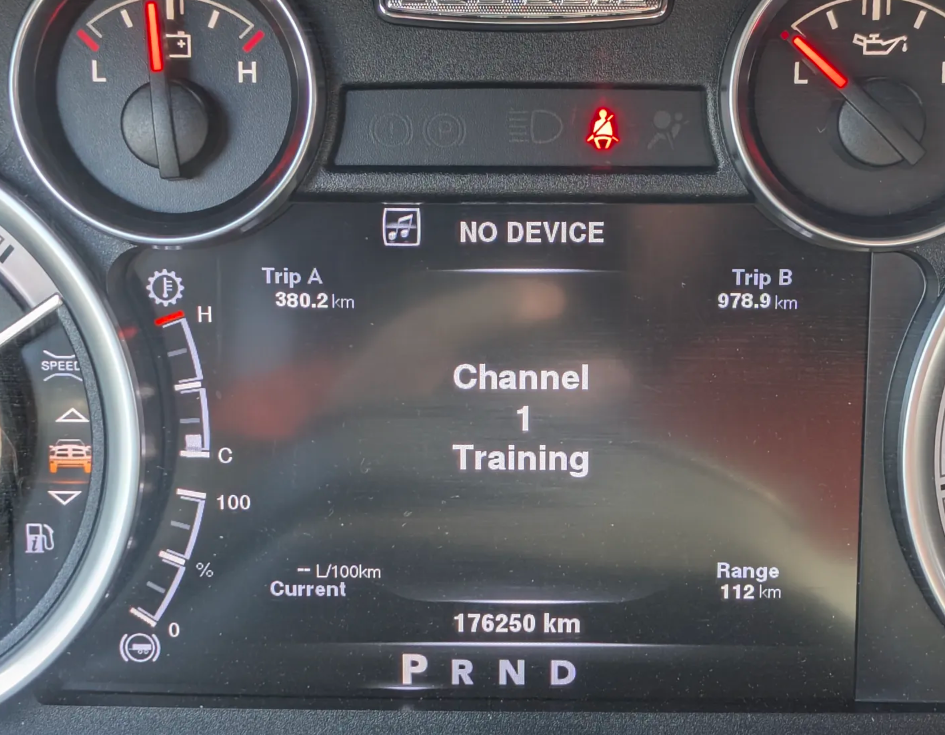
That’s it. That’s the whole process.
I did this on my Ram 1500 for two garage doors (two HomeLink buttons), and then a friend and I did it on his older Chrysler Aspen using the same method. Worked the same way every single time.
Where It Got Weird
Here’s the part that made me stop and think.
Every HomeLink guide on the internet says the same thing for rolling code openers. After training HomeLink from the remote, you need to go press the Learn button on the garage door opener motor, then come back to the truck and press the HomeLink button two or three times to complete the rolling code sync.
I never did that. Not once. On any of the three buttons across two vehicles.
After the display said “Channel Trained,” I pressed the HomeLink button and the garage door just… opened. No Learn button. No rolling code sync. No second step at all.
That should not work with a rolling code system.
So I Read the Manual
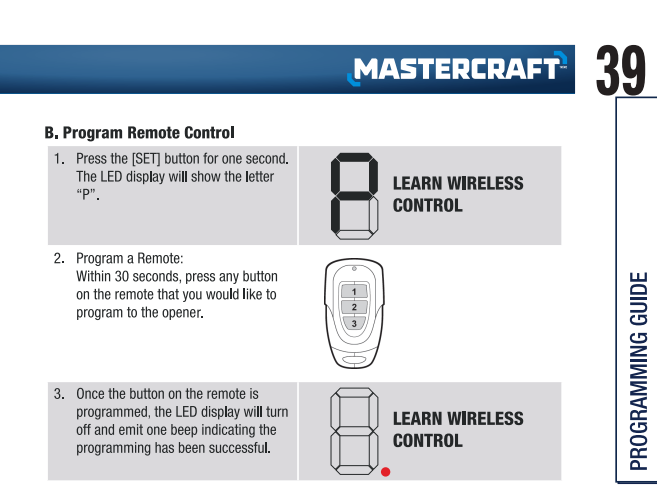
I pulled up the official Mastercraft manual for model 046-1401-2. The programming section for remotes is on page 39. Here’s the entire process according to Mastercraft:
- Press the SET button for one second. The LED display shows “P” (Learn Wireless Control).
- Within 30 seconds, press any button on the remote you want to program.
- The LED turns off and beeps once. Programming successful.
That’s the whole thing. Press learn, press the remote, done. The opener just stores whatever code the remote sends and recognizes it from then on.
There is zero mention of rolling codes anywhere in the manual. Not in the features section, not in the programming guide, not in the troubleshooting section, not in the specs. The word “rolling” does not appear once in 53 pages.
What This Actually Means
The reason I didn’t need to press the Learn button after programming HomeLink is because there’s no rolling code to sync. HomeLink captured the fixed code from my Mastercraft remote and replays the exact same signal every time. The opener recognizes it and opens. No handshake, no authentication.
Rolling codes change the transmitted code with every button press. Capture the signal, and it’s already expired. Fixed codes send the same signal every time. Capture it once, replay it whenever you want.
The major brands moved to rolling codes over 25 years ago. LiftMaster introduced Security+ in the mid 90s. Genie followed with Intellicode. Fixed codes were too easy to clone, so the industry moved on. Or so I thought.
The Flipper Zero Problem
This is where it gets uncomfortable.
A Flipper Zero is a handheld device that can capture and replay radio frequency signals. They run a few hundred bucks on Amazon Canada. They’re marketed as a penetration testing tool and completely legal to own. I even had one for a little while.
Against a rolling code garage door opener, a Flipper Zero capture is basically “useless”. The code changes every press, so a recorded signal won’t open anything. People have found ways to make it work, but that’s for another time.
Against a fixed code opener like these Mastercraft units? Someone could capture your garage door signal from a distance while you’re opening your door, and replay it later. That’s it. Your garage is open. No hacking required, no special skills, no brute forcing. Just record and playback.
And it doesn’t even have to be a Flipper Zero. Cheap SDR dongles for $30 can do the same thing with free software. The Flipper just makes it point and click.
But Isn’t Rolling Code Required By Law?
This is what I assumed going in. I thought rolling codes were mandatory for all garage door openers sold in Canada. Turns out that’s not the case.
UL 325 / ANSI/CAN/UL 325 is the safety standard that garage door openers must meet in both Canada and the United States. It’s referenced in federal regulations (16 CFR Part 1211 in the US) and has been mandatory since 1993.
But UL 325 covers physical safety. Auto-reverse when hitting an obstruction. Photo-electric sensors to prevent entrapment. Force limits. Safety labeling. All the stuff that prevents kids and pets from getting hurt.
It says nothing about signal security. Nothing about rolling codes. Nothing about encryption. Nothing about preventing unauthorized access via RF replay.
Rolling codes became an industry standard through market competition, not regulation. The big brands adopted it because it was a better product. But there is no law in Canada or the United States that actually requires it. A sub-$200 opener from Canadian Tire meets every legal safety requirement. It just doesn’t come with rolling code security. And nowhere in the manual or marketing does it claim to that I could find.
What Should You Do?
I’m not saying throw your Mastercraft opener in the trash. I still have mine and I’m not replacing them tomorrow. But it’s worth knowing what you’re working with.
Check your own opener. If you have a Mastercraft or any other budget brand, look at the manual. Does it mention rolling codes anywhere? When you programmed extra remotes, did you have to press a Learn button on the motor AND sync from the vehicle, or did it just work after learning the remote signal?
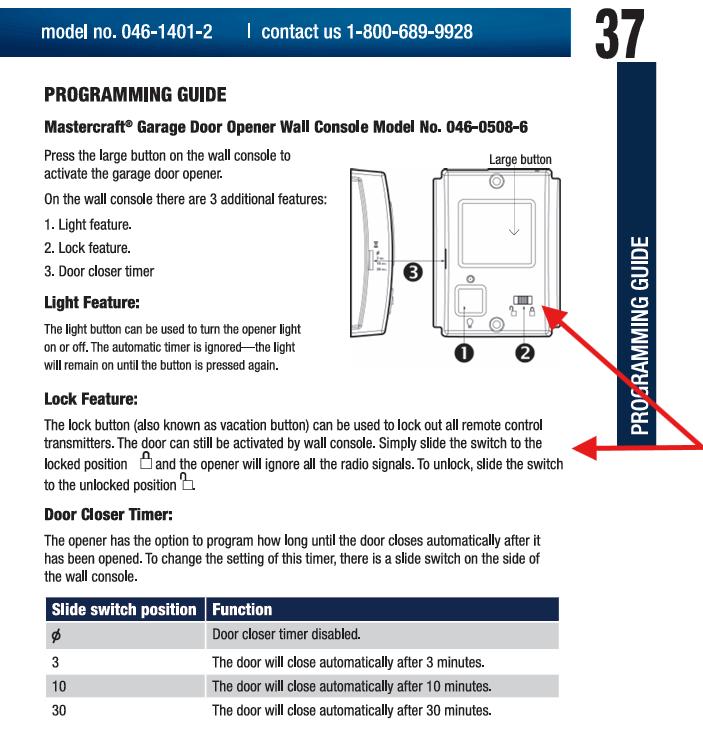
If your opener uses fixed codes, the Lock feature on the wall console is your friend. Page 37 of the Mastercraft manual shows a lock switch that disables all remote signals. Slide it to locked position when you’re away for extended periods and the opener ignores every RF signal entirely. It’s not a fix for the underlying problem, but it’s something.
If security matters to you, a rolling code opener from LiftMaster, Chamberlain, or Genie is a worthwhile upgrade. They’re not much more expensive and the security gap is night and day.
One More Thing
The Mastercraft 046-1401-2 also has WiFi built in through the Skylink/NOMA iQ app. I could never get it to connect. After discovering the fixed code situation, I’m honestly not that upset about the WiFi not working. One less attack surface to worry about.
The HomeLink Quick Reference
For anyone who just came here to program their HomeLink and doesn’t care about the security stuff, here’s the short version.
Do NOT start by clearing your existing HomeLink codes unless you’ve never programmed HomeLink before. Clearing wipes all your programmed buttons. If you already have one garage door working and you’re just adding another, skip the clear step and go straight to programming an unused button.
Programming steps:
Hold the Mastercraft remote button by itself until the LED starts steady blinking. Let go of the button. While the LED is still blinking, press and hold a HomeLink button. Wait for “Channel Trained” on the display. Press the HomeLink button. Your garage door should open.
No Learn button required on the opener (and now you know why).